Orienting Jigsaw Puzzles to Move Intuitively
The pieces come out of the cutting step with no sense of direction of their own, and the game needs them to stay facing the surface while the player drags them around.
Two sides of the problem
The first one is that a cut piece does not know anything about itself. The sculpture is cut in Houdini and the pieces arrive as separate shells, all of them carrying the same default orientation. A person looking at one piece can tell in a second which side is the inside and which way that side should point. Nothing in the file says it. That information has to be created and attached to each piece before anything else can use it.
The second one only appears once the first is solved. A piece that knows which way it faces still has to keep facing correctly while it moves. The sculpture is not a ball — the surface under the piece turns as the player drags it, and the piece has to turn with it. If it does not, the piece reads as floating next to the sculpture instead of resting on it, and players stop trusting where it will land.
Full tech breakdown on YouTube →
1 — Giving every piece a direction
The pieces come into Blender and the first thing that happens is that each one gets its centre moved to the middle of its own geometry, so a piece’s position actually means something.
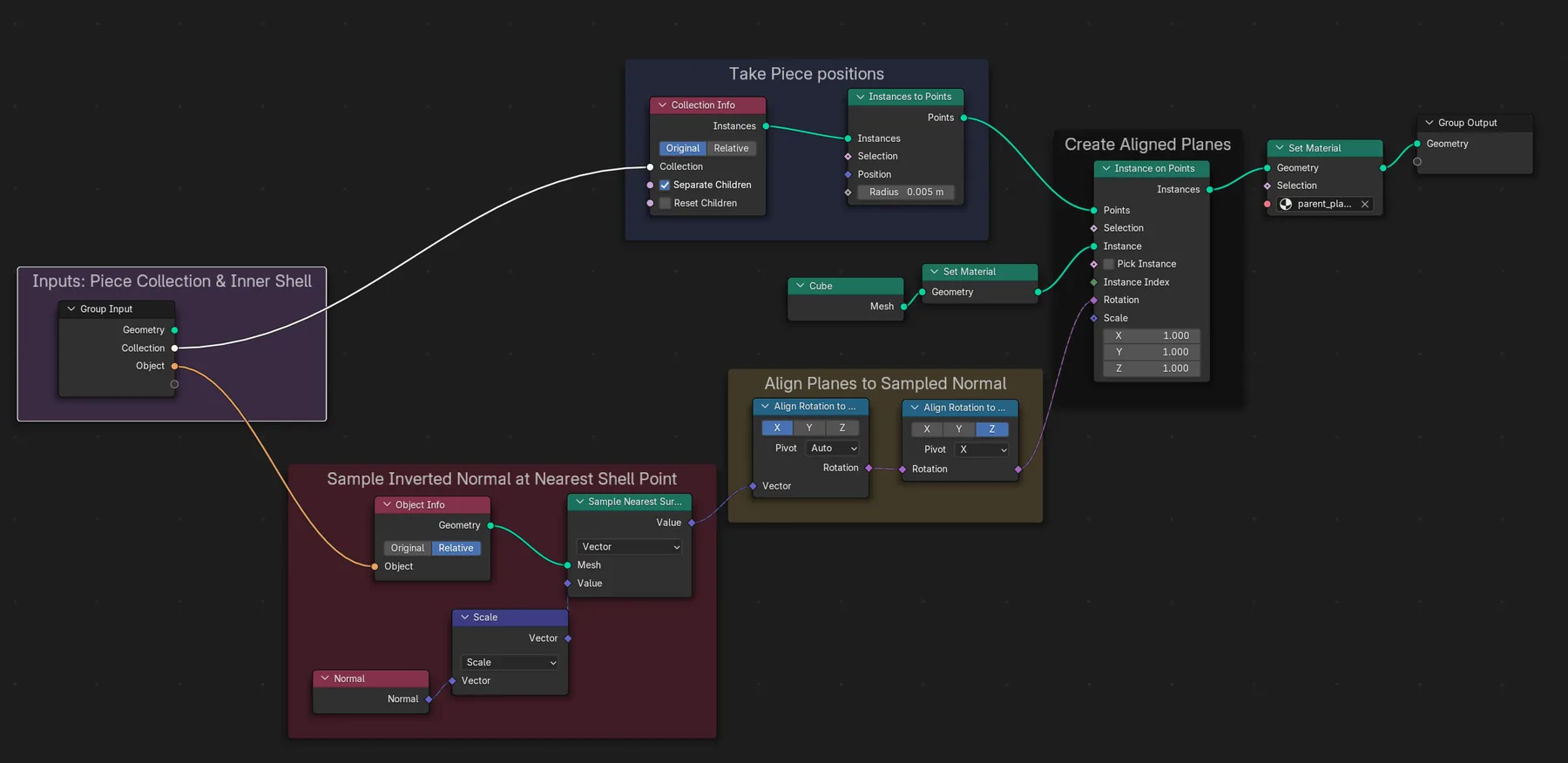
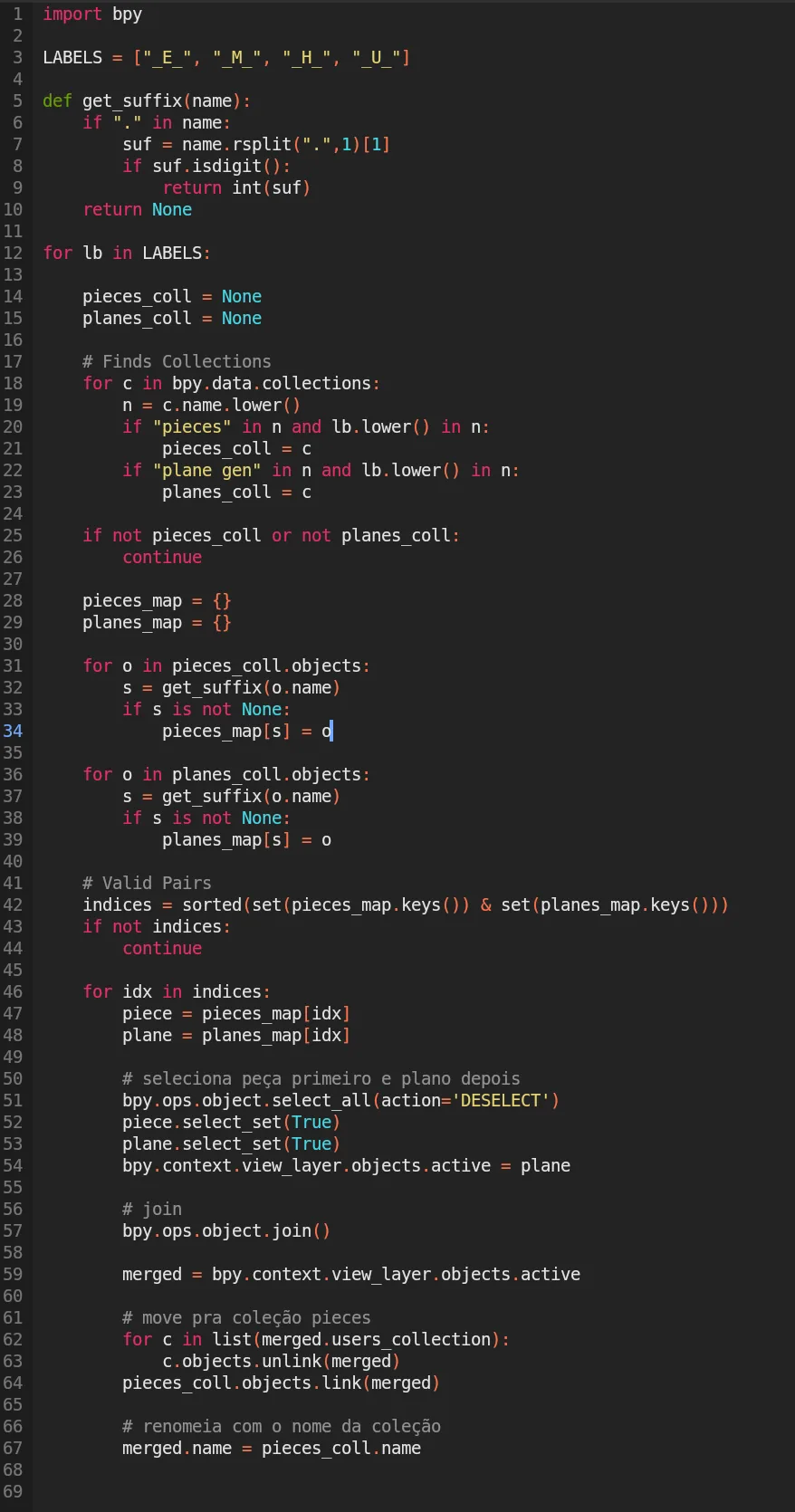
A Geometry Nodes setup then places a small plane at each piece, matched by the numbering in the names, so plane 042 belongs to piece 042. Each plane turns to face the average direction of that piece’s inside faces — the direction a person would point at if asked which way the piece faces. A short Python script copies that rotation from the plane onto the piece itself.
The result is that every piece leaves Blender with a direction of its own, built from its own shape rather than assigned by hand. A sculpture is cut into anything from eighty to three hundred and fifty pieces, so by hand was never an option.
2 — Letting the piece find the surface
With a direction to work with, the runtime part becomes a question of what to point at.
Unreal has a look-at function, and it points an object at the centre pivot of another object. On a ball that happens to be the right answer, because the direction to the centre is the direction out of the surface. On a sculpture it is not: the piece keeps facing the middle of the statue while the surface it is supposed to be lying on has already turned away.
So instead of pointing at the sculpture, each piece looks at the part of the sculpture nearest to it. While it is being moved, the piece fires rays at the inner shell, keeps the hits that fall inside a radius, and takes their average position. The direction built in step 1 is then aimed at that average, with the closest hits counting for more than the far ones.
Using an average rather than the single nearest point is what makes the movement feel right. A single nearest point jumps from one spot to the next and the piece snaps with it. An average moves continuously, because a hit that is about to leave the radius is already barely contributing by the time it goes.
3 — Making it cheap enough to ship
The first working version fired at the inner shell itself, and that shell runs up to eight thousand points. It worked and it was slow. Unreal has nothing built in for this, so every one of those points was being checked by hand, per piece, per frame.
The fix was to stop tracing the real surface. Houdini already cuts the sculpture, so it also produces a thinned version of it in the same pass — the same shape described by as few as seven hundred evenly spread points, how far it drops depending on the shape and the size of the sculpture. The pieces behave the same, because the average of a handful of nearby points barely changes when the points are thinned out evenly.
In the version that shipped there is no second mesh in the level at all. The points are exported as a plain list of coordinates and rebuilt at runtime, so the game carries a text file instead of a hidden object with geometry nobody ever sees.
Credits
I solved the vector math, designed the piece movement and orientation algorithm in Blender, then built a prototype in Unreal Blueprints. Lucas Bittencourt finished it, turning it into a working game feature; after him, Andrea Osorio joined the team, optimized it, wrote the final version and moved it to C++.